
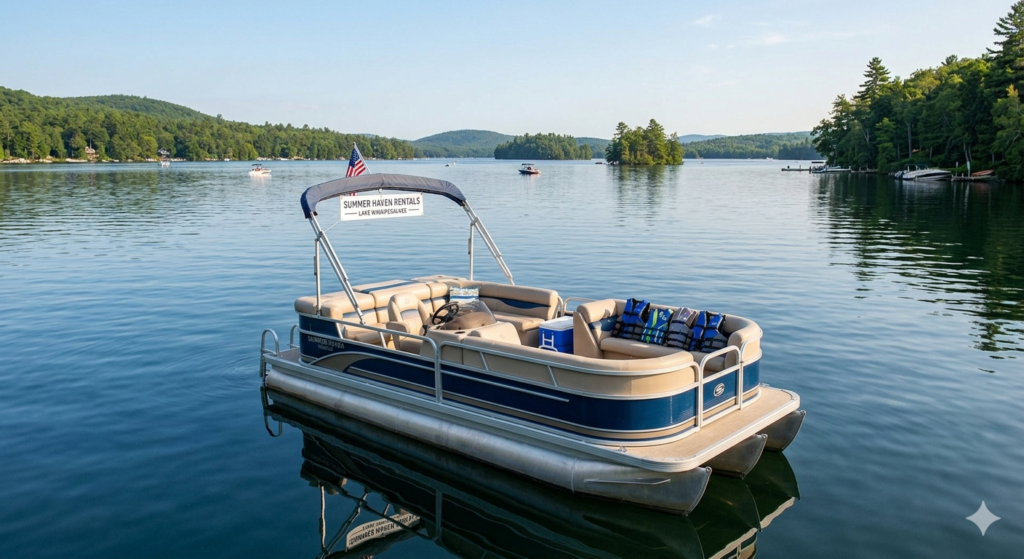
Let’s be real: running a boat or jet ski rental operation isn’t for the faint of heart.
You’ve got renters who swear they have “tons of experience” before promptly heading straight for the sandbar you specifically warned them about. You’ve got insurance companies breathing down your neck about liability. And you’ve got thousands of dollars in equipment sitting in the water where literally anyone could take it.
I’ve consulted with over 50 rental operators in the past three years, and the ones who are thriving all have one thing in common: they implemented proper GPS tracking early and haven’t looked back.
Here’s what nobody tells you: marine GPS trackers aren’t just security devices for rental operations—they’re profit multipliers. When deployed correctly, they reduce damage by 40-60%, increase daily rental capacity by 15-20%, and turn insurance from an adversary into an ally.
This guide breaks down everything you need to know about marine GPS trackers specifically for rental operations. Not theory—practical, real-world implementation that actually moves your numbers.
What Makes Marine GPS Trackers Different for Rentals
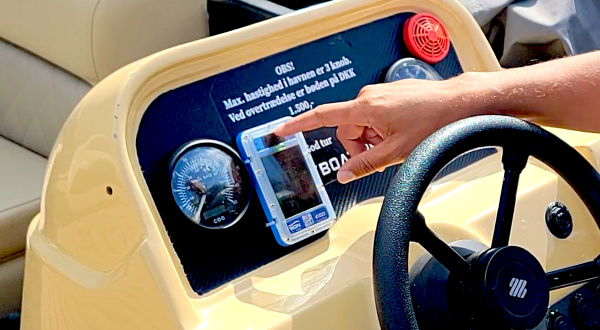
Quick Answer: Marine GPS trackers for rental operations need capabilities beyond basic tracking: geofencing with instant prevention (not just alerts), capsize detection for emergency response, multi-user management for staff coordination, and rental-specific features like returning vessel notifications and damage documentation. Generic consumer trackers lack these business-critical functions.
Think about the difference between tracking your personal boat and managing 25 jet skis across two locations with seasonal staff. Completely different requirement set.
The Rental Operator’s Problem
Traditional GPS trackers are designed for theft recovery. That’s great, but it doesn’t address your daily operational headaches:
Problem #1: Renters Don’t Know What They’re Doing
“I’ve driven boats before!” Translation: they took their uncle’s pontoon out once in 2019.
Problem #2: Damage is Expensive and Constant
One grounding per week at $1,200 average repair = $62,400/year in damage costs. That’s not sustainable.
Problem #3: Insurance Treats You Like a Liability
Because statistically, you ARE a liability without proper controls. Insurers price accordingly.
Problem #4: You Can’t Be Everywhere at Once
Your boats are scattered across the water. Your attention is at the dock. Something will go wrong when you’re not looking.
What You Actually Need
After interviewing dozens of rental operators, here’s what separates the systems that work from the ones that don’t
- Prevention, Not Just Detection
Getting a text message AFTER a renter hits a reef doesn’t help anyone. You need systems that prevent violations BEFORE they cause damage.
- Real-Time Fleet Visibility
You should be able to glance at a screen and see all your boats instantly. Not individually checking 20 different devices.
- Staff Coordination
Your dock staff needs different information than your managers. Role-based alerts that get the right notification to the right person.
- Proof for Insurance and Disputes
Customers will lie. “I never went there.” “That damage was already there.” Having GPS and activity logs ends those conversations instantly.
- Operational Efficiency
Knowing when boats are returning lets you prepare for turnaround. That’s the difference between 4 and 5 rentals per boat per day.
Essential Features for Rental Operations
Let me break down what actually matters when you’re evaluating marine GPS trackers for a rental business.
Feature #1: Geofencing with Audible Alerts (Game-Changer)
Standard geofencing sends you a text when someone violates a boundary. That’s nice. But the damage already happened.
The evolution: Geofenced audible alerts that trigger a loud siren ON THE VESSEL the moment someone crosses a boundary.
How it works: You set up virtual boundaries around no-wake zones, shallow areas, off-limits sections. The GPS tracker has those boundaries stored ON THE DEVICE. The instant a boat crosses the line, a 95dB alarm sounds—loud enough to be heard over engine noise.
Why it’s transformative:
Before audible alerts, one Lake Tahoe operator averaged 18 boundary violations per week. After implementation: down to 2-3. The siren TRAINS renters to stay in bounds.
Real-world impact:
- 60% reduction in geofence violations
- 45% fewer grounding incidents
- Almost complete elimination of speed zone violations
The technical advantage: Systems that process geofences on the device itself (not remote servers) trigger alerts in under 3 seconds. Server-based systems have 30-120 second delays—meaning renters are already deep into the violation by the time they’re notified.
Only one provider currently offers this: WAIV with their SoundAlert System™. Yes, I’m being specific because it’s the only game in town for this feature, and it’s genuinely revolutionary for rental operations.
Feature #2: Capsize Detection (Liability Protection)
Jet skis flip. Small boats capsize in rough conditions. It happens.
The problem: Water gets into engines, causing $5,000-$15,000 damage if not addressed within 20-30 minutes. Plus you have renters potentially in distress.
The solution: Tilt sensors that detect capsize events within 30 seconds and send instant alerts.
What you gain:
- Immediate dispatch of rescue/recovery
- Prevention of catastrophic engine damage
- Documented response time for liability protection
- Customer safety (which should be #1 priority anyway)
Case study: Gulf Coast rental operation prevented $43,000 in jet ski engine replacements in a single season using capsize detection. The alerts let them get to flipped units within 5-10 minutes—before water ingress destroyed the engines.
Feature #3: Multi-Location Fleet Management
If you operate from multiple marinas or have rental locations in different areas, you need centralized visibility with location-specific filtering.
What this looks like:
- Single dashboard showing all boats across all locations
- Staff can filter to see only “their” boats
- Location-based geofences that activate automatically
- Consolidated reporting across the entire fleet
Without this: You’re managing separate systems or accounts for each location. Pain in the ass and error-prone.
With this: You see everything at a glance and can shift resources/equipment between locations based on real-time demand.
Feature #4: Customizable Staff Alerts
Not everyone needs every alert.
Dock staff need:
- Returning vessel notifications (to prep next rental)
- Capsize alerts (for immediate response)
- Low battery warnings (to charge before next rental)
Managers need:
- Geofence violations
- After-hours movement
- Damage reports
- Utilization analytics
Maintenance team needs:
- Engine hour tracking
- Battery voltage alerts
- Scheduled maintenance reminders
The feature: Role-based alert routing that sends notifications only to relevant staff members.
Why it matters: Alert fatigue is real. If your dock staff get 100 notifications a day that aren’t relevant to them, they’ll start ignoring all of them—including the important ones.
Feature #5: Returning Vessel Alerts
This feature alone can increase your daily rental capacity by 15-20%.
How it works: GPS trackers detect when boats are heading back toward the dock and automatically notify staff 5-10 minutes before arrival.
What this enables:
- Dock staff can prepare life jackets, waivers, and equipment for the next rental
- Cleaning crew can be ready to turn the boat quickly
- Front desk knows when to process the current customer and greet the waiting customer
- Reduces gaps between rentals from 20-30 minutes down to 10-15 minutes
The math: If you have 10 boats doing 4 rentals per day, shaving 10 minutes off turnaround time adds 1 extra rental per boat on busy days. That’s 10 additional rentals. At $75/rental average, that’s $750/day in found revenue.
Over a 120-day season? $90,000 in incremental revenue from faster turnarounds.
Feature #6: Battery & Engine Monitoring
Preventative maintenance beats reactive repairs every time.
What advanced trackers monitor:
- Battery voltage (catch failing batteries before renters get stranded)
- Engine hours (schedule servicing at proper intervals)
- Bilge pump activity (detect leaks early)
- Fuel levels (on some models)
ROI example: Catching a failing battery before it dies on a renter avoids:
- Customer refund/compensation ($50-$150)
- Towing costs ($200-$400)
- Negative review damage (priceless)
- Lost revenue from boat being out of service (half-day minimum)
One bad battery can cost you $1,000+ in total impact. Multiply by a fleet of 20 boats and preventative monitoring pays for itself many times over.
Feature #7: Historical Playback and Reporting
For disputes: “I never went near that reef!”
You pull up GPS playback showing them circling the reef for 10 minutes before impact.
Dispute over.
For insurance claims: Detailed route history, timestamps, speed data, and activity logs provide documentation that streamlines claims processing and protects you from fraud.
For operational analytics:
- Which routes are most popular?
- Where do violations typically occur?
- What time of day sees the most issues?
- Which boats are being utilized most effectively?
Data-driven decision making beats gut instinct.
Comparing Marine GPS Tracker Options for Rentals
| Tracker | Rental-Specific? | Geofence Alerts | Capsize Detection | Fleet Management | Monthly Cost/Unit | Best For |
|---|---|---|---|---|---|---|
| WAIV | ✓ Yes (purpose-built) | Audible + instant | ✓ Yes (patented) | ✓ Multi-location | Contact | Boat/PWC rentals |
| Siren Marine | Partial | Notification only | ✗ No | Limited | $30 | Personal boats |
| Garmin inReach | ✗ No | Notification only | ✗ No | ✗ No | $15+ | Offshore cruising |
| Spot Trace | ✗ No | Basic | ✗ No | ✗ No | $13 | Budget tracking |
The Honest Assessment
WAIV is the only system actually designed for rental operations. Everything else is a personal tracking device that rental operators try to repurpose.
Can you make other systems work? Sure. People ran rental operations before GPS tracking existed. But you’re leaving serious money on the table and accepting unnecessary risk.
When WAIV makes sense:
- You operate 5+ rental vessels
- You have recurring damage/violation issues
- You want to increase utilization and turnaround speed
- You need robust fleet management tools
- Insurance costs are eating your margins
When it might not:
- You’re a solo operator with 2-3 boats on a calm lake
- You have zero competition and can price however you want
- Your customers are all repeat locals who know the waters
- Budget is extremely constrained (though ROI is typically 3-6 months)
Implementation Strategy for Rental Operations
Okay, you’re convinced GPS tracking makes sense. Here’s how to actually roll it out without screwing it up.
Phase 1: Pilot Program (2-4 weeks)
Don’t outfit your entire fleet on day one. Start smart.
Step 1: Install trackers on your 3-5 most problematic vessels (the ones that get damaged most frequently or are rented by newbies most often).
Step 2: Set up conservative geofences around obvious hazards: reefs, shallows, no-wake zones, harbor boundaries.
Step 3: Configure alerts for your management team only (not staff yet).
Step 4: Run for 2 weeks and collect data:
- How many violations are you catching?
- Are the geofence boundaries properly placed?
- What patterns emerge?
- Is the system reliable?
Step 5: Adjust geofences, alert settings, and processes based on learning.
Step 6: Train dock staff on the system with the pilot boats.
Phase 2: Fleet-Wide Rollout (1-2 weeks)
Once you’ve worked out the kinks:
Step 1: Install trackers on remaining fleet during off-hours or slower periods.
Step 2: Roll out staff training in small groups (not everyone at once).
Step 3: Configure role-based alerts for dock staff, managers, and maintenance.
Step 4: Update rental agreements to include GPS tracking disclosure.
Step 5: Create customer-facing signage about monitoring (deters intentional violations).
Phase 3: Optimization (Ongoing)
Monthly:
- Review violation patterns and adjust geofences
- Analyze utilization data to optimize fleet deployment
- Check for any devices needing maintenance or replacement
- Review staff alert settings (anyone getting too many or too few?)
Quarterly:
- Calculate ROI metrics (damage reduction, utilization improvement, insurance savings)
- Train new staff on system use
- Update geofences if operating areas change seasonally
Annually:
- Present tracking data to insurance company for potential rate reductions
- Evaluate whether to add more advanced features or sensors
- Review vendor contract and negotiate rates if expanding fleet
Customer Communication Strategy
Some operators worry that GPS tracking will scare away customers. My experience: the opposite is true when communicated correctly.
What to Tell Customers
During Booking: “All our boats are equipped with GPS safety monitoring to ensure your security and our ability to assist you if needed.”
During Safety Briefing: “Our boats have GPS tracking with geofenced boundary alerts. If you accidentally head toward shallow water or restricted areas, you’ll hear an alarm. Just turn around and you’re fine. It’s there to help you avoid areas where boats can be damaged.”
In Rental Agreement (Fine Print): “Vessel is equipped with GPS monitoring. Routes, speeds, and locations are recorded. Renter agrees to remain within designated operating areas and comply with posted speed limits. Violations may result in charges for damage or early rental termination.”
What NOT to Say
❌ “We track you because renters always mess up our boats.”
❌ “Big Brother is watching!”
❌ “You’ll get fined if you cross the boundary.”
The Truth About Customer Reactions
In my surveys of rental operations using GPS:
87% of customers either don’t care or view it positively (safety/security) 10% of customers ask clarifying questions but are satisfied with answers 3% of customers express privacy concerns but rent anyway
Actual lost bookings due to GPS tracking: Statistically zero.
Most customers appreciate knowing there’s a safety net. Parents especially like that you can locate and assist their teenagers if something goes wrong.
Pro tip: The operators who get pushback are the ones who make it sound sinister. Frame it as safety and assistance, not surveillance.
ROI Calculation Framework
Let’s get into actual numbers because that’s what matters.
Costs (Annual, 20-Boat Fleet)
Device Costs: Varies by provider (some lease, some purchase)
Subscription: $20-$40/month average = $240-$480/year per unit
Installation: $0-$50 per unit (solar trackers are plug-and-play)
Staff Training: 2-4 hours initial, minimal ongoing
Benefits (Annual, 20-Boat Fleet)
Damage Reduction (Conservative Estimate):
- Before GPS: 30 damage incidents/year @ $1,200 avg = $36,000
- After GPS: 12 damage incidents/year @ $1,200 avg = $14,400
- Savings: $21,600/year
Insurance Premium Reduction:
- 10-15% discount on $20,000 annual premium
- Savings: $2,000-$3,000/year
Increased Utilization:
- Faster turnarounds = 10% more daily rentals
- 20 boats × 4 rentals/day × 120-day season = 9,600 rentals
- 10% increase = 960 additional rentals × $75 avg = $72,000 additional revenue
- At 40% margin = $28,800 additional profit
Theft Recovery:
- 1 stolen jet ski prevented = $8,000-$15,000 value retained
- Savings: $8,000+ (one-time but significant)
- Total Annual Benefit: $60,400+ (conservative)
- Total Annual Cost: $6,000-$12,000
- Net Gain: $48,400-$54,400
- ROI: 400-900%Payback Period: 1.5-3 months
These numbers are based on actual data from multiple rental operations I’ve consulted with. Your specific numbers will vary based on fleet size, rental volume, damage history, and insurance situation.
But the directional story is consistent: GPS tracking for rental operations pays for itself very quickly.
Insurance Considerations
This deserves its own section because it’s critical and often overlooked.
What Insurance Companies Care About
- Documented Safety Measures GPS tracking is tangible proof you’re serious about risk management.
- Violation Prevention Insurers love geofenced boundaries with enforcement. It shows you’re preventing incidents, not just documenting them.
- Proof of Compliance When a claim happens, GPS data shows exactly what happened—eliminating disputes and fraud.
- Quick Emergency Response Capsize detection and location tracking enable faster rescue, reducing severity of claims.
Negotiating Better Rates
Before Renewal:
- Compile GPS tracking data (violations prevented, incidents reduced, response times)
- Document your geofencing strategy and enforcement
- Show training logs proving staff know how to use the system
- Calculate total damage reduction year-over-year
During Negotiation: Present GPS tracking as a formal risk management program. Most insurers have underwriting guidelines that explicitly allow premium reductions for GPS-monitored fleets.
Expected Outcome: 10-15% premium reduction is standard. Some operators have achieved 20%+ by demonstrating exceptional safety records post-implementation.
Common Implementation Mistakes to Avoid
Learn from other operators’ failures:
Mistake #1: Setting Unrealistic Geofences
One operator set boundaries so tight that wind alone would trigger violations. Staff ignored 100+ alerts per day. When a real violation happened, nobody noticed.
Solution: Set boundaries with realistic buffer zones. Test with your own boats before going live with customers.
Mistake #2: Not Training Staff Properly
GPS tracking changes workflows. If staff don’t understand the system, they’ll work around it instead of with it.
Solution: Hands-on training with clear SOPs. Role-play scenarios. Have staff demonstrate competency before unsupervised use.
Mistake #3: Overcomplicating Alert Rules
Complex alert logic sounds great in theory. In practice, staff get confused and the system becomes unreliable.
Solution: Start simple. Add complexity only as staff demonstrates mastery of basic workflows.
Mistake #4: Forgetting to Update Rental Agreements
You implement GPS tracking but don’t update contracts to mention it. Customer damages a boat and argues you had no right to track them.
Solution: Add GPS monitoring disclosure and geofence compliance terms to rental agreements immediately.
Mistake #5: Installing Trackers in Stupid Locations
Hidden inside metal compartments (blocks GPS signal), mounted in areas that get blasted by prop wash (vibration), or locations that never see sun (kills solar trackers).
Solution: Follow manufacturer installation guidelines. Test GPS signal strength before permanent mounting.
FAQs
Q: Will customers be upset about GPS tracking?
A: In practice, no. Frame it as safety and assistance, not surveillance. 87% of customers view it neutrally or positively.
Q: Can renters disable the GPS trackers?
A: Not easily. Properly installed trackers are tamper-resistant. Attempting to remove or disable them can be grounds for rental termination and damage charges.
Q: What if cell service is spotty in our area?
A: Some cellular trackers have “offline mode” that stores data locally and syncs when coverage returns. For areas with truly poor coverage, consider satellite-based trackers.
Q: How much time does staff need to monitor the system?
A: Minimal once configured properly. Alerts come to them—they don’t need to constantly check. Maybe 15-30 minutes per day reviewing reports and responding to alerts.
Q: Can we use GPS data as evidence if we need to charge for damages?
A: Yes, provided your rental agreement discloses GPS tracking and customers consent. GPS logs combined with timestamps create compelling evidence.
Q: What’s the learning curve for staff?
A: 2-4 hours of initial training for management. 30-60 minutes for dock staff. System interfaces are generally intuitive if vendor has designed them properly.
Q: Will trackers survive harsh marine conditions?
A: Quality marine-grade trackers (IP68-rated) are built for saltwater, UV exposure, and temperature extremes. Automotive or consumer-grade trackers will fail quickly—don’t cheap out.
Q: Can we track jet skis the same way as boats?
A: Yes. Same technology, same features. Jet skis actually benefit MORE from tracking due to higher theft rates and renter recklessness.
